AZAL
AZAL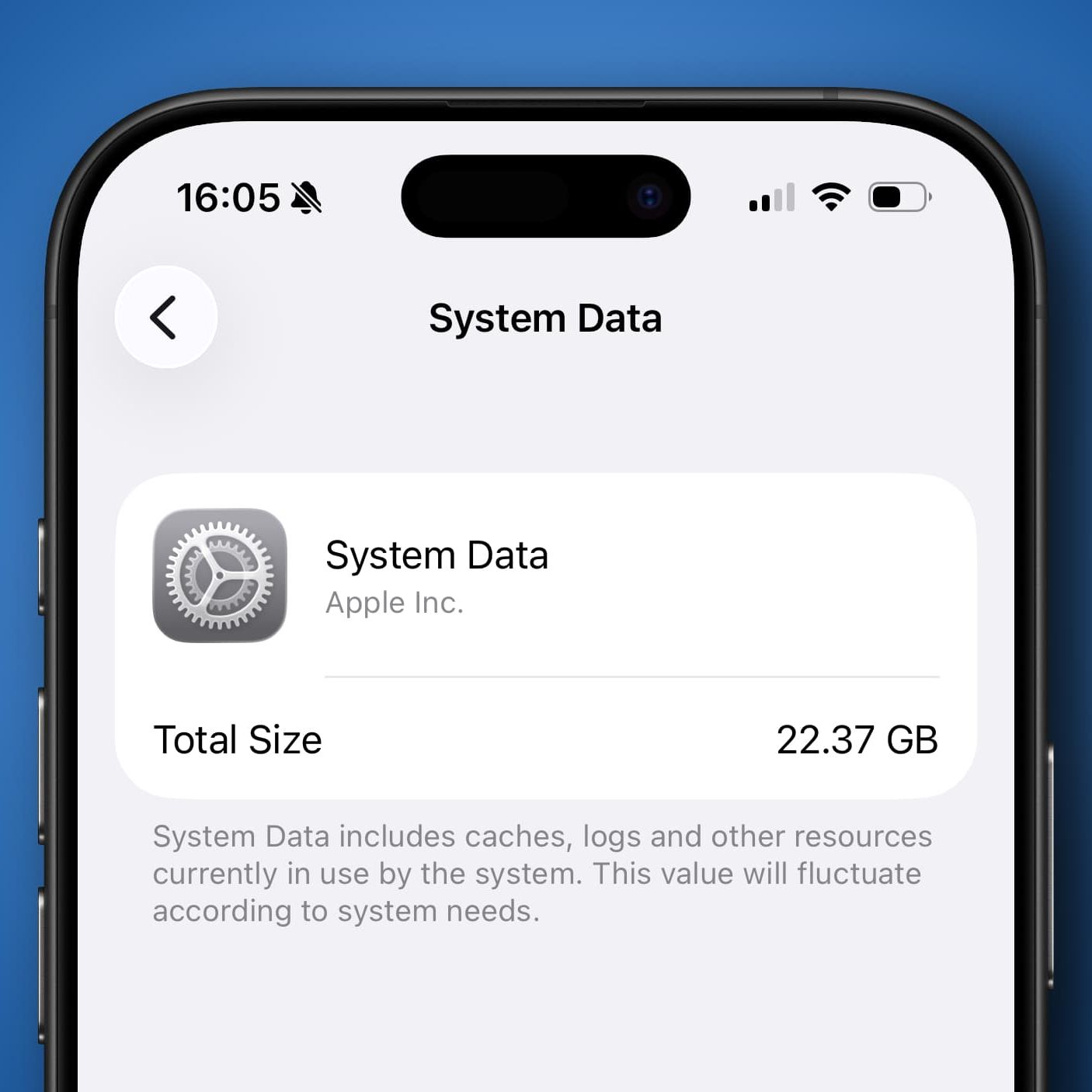
A growing number of iPhone users are reporting a frustrating storage issue that causes System Data to consume an unusually large portion of their device’s storage. The problem has recently gained renewed attention on Reddit, where users shared screenshots showing System Data occupying tens—and in some cases more than a hundred—gigabytes without any clear explanation.
Since iPhone storage cannot be upgraded after purchase, the unexpected growth of System Data has become a major concern, especially for users with 128GB devices or smaller storage capacities.
System Data Consumes Massive Storage Space
One Reddit user reported that System Data had expanded to 86.96GB, consuming nearly 68% of the available storage on a 128GB iPhone.
The user described the issue as a long-standing bug, arguing that ordinary iPhone owners should not have to search for complicated solutions simply to recover lost storage space.
Reports from other users suggest the problem is not isolated. Similar behavior has previously been linked to Apple Maps, raising speculation that the issue may stem from how iOS manages cached files and system data.
Some users with larger-capacity iPhones reported even more dramatic figures, with System Data reaching 100GB or even 150GB, highlighting what many believe is a significant software issue.
Why Does System Data Grow?
System Data consists of temporary files, caches, logs, and other background resources required for iOS to operate efficiently.
Normally, these files occupy only a modest amount of storage and are automatically managed by the operating system. However, some users report that the category can grow uncontrollably, consuming dozens of gigabytes without providing any built-in option to manually clear it.
Workarounds Shared by Users
Although Apple has not officially acknowledged the issue, several users report that the following methods have successfully recovered significant storage space:
- Creating a full backup using iCloud or a computer, performing a factory reset, and restoring the backup.
- Reinstalling iOS through DFU (Device Firmware Update) Mode, which performs a clean installation of the operating system and removes accumulated system files.
- Enabling Offload Unused Apps through Settings > Apps > App Store, allowing unused applications to be removed while preserving their data.
- Clearing cache files from web browsers and podcast applications.
- Removing games or apps that download large amounts of additional in-app content, which may contribute to excessive storage usage.
While some of these solutions are more advanced than others, many users report noticeable improvements after completing one or more of these steps.
Waiting for an Official Fix
For users experiencing the problem, watching available storage gradually disappear without explanation can be frustrating, particularly since there is currently no direct tool within iOS to clear System Data manually.
Until Apple releases a permanent software fix, community-tested workarounds remain the most practical way to reclaim lost storage and reduce the size of System Data.
Vexiora Analysis
The recurring reports surrounding excessive System Data usage suggest that this may be more than an isolated bug affecting a small number of devices. As iPhones continue to store larger amounts of cached content and background data, users increasingly expect greater transparency and more control over how storage is managed.
Introducing a built-in option to safely clear unnecessary system caches could improve the user experience and reduce the need for factory resets or advanced recovery procedures. If Apple addresses the issue in a future iOS update, it would likely resolve one of the most common storage complaints among iPhone users.